Validating your model
Under Analyses, 'Apply Model' button enables to apply your model on new unseen data.
There are two ways to Apply a model on unseen data:
- by clicking on 'Apply Model' button of a dataset, or
- through 'Apply Model' under ACTIONS sidebar.
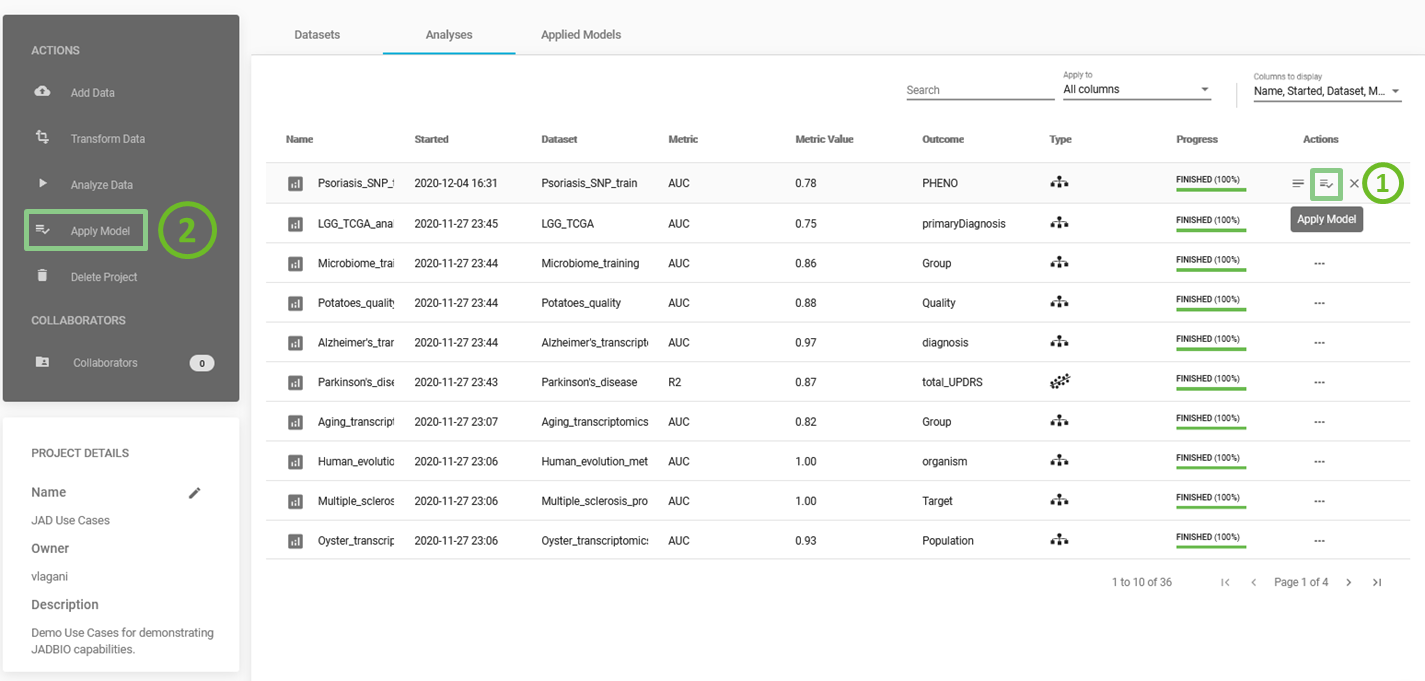
Apply Model
-
Under ACTIONS sidebar, click on 'Apply Model' to apply your model on new unseen data.
-
Select analysis: Choose the analysis you want to test on new data and click 'NEXT'.
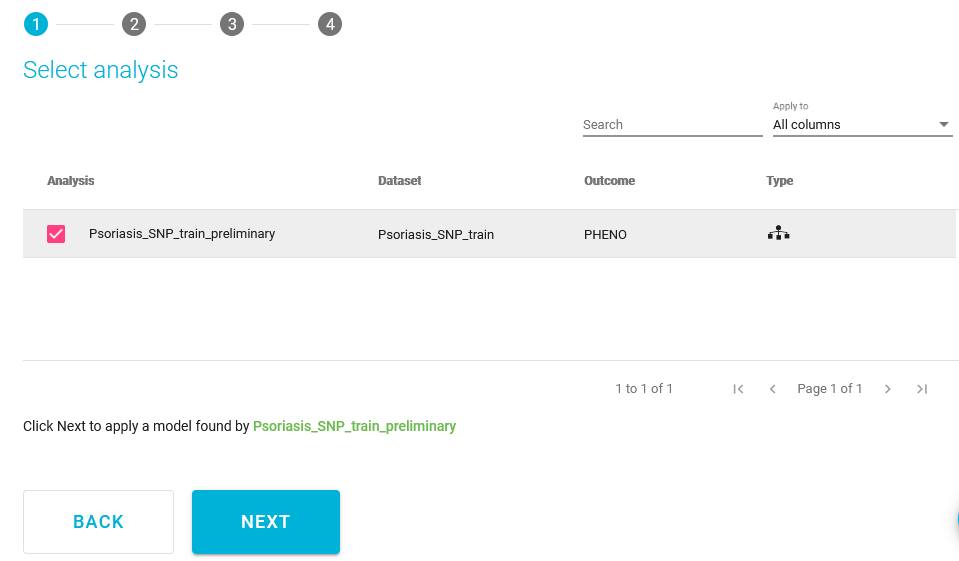
Select analysis
Choosing the best model and signature of interest
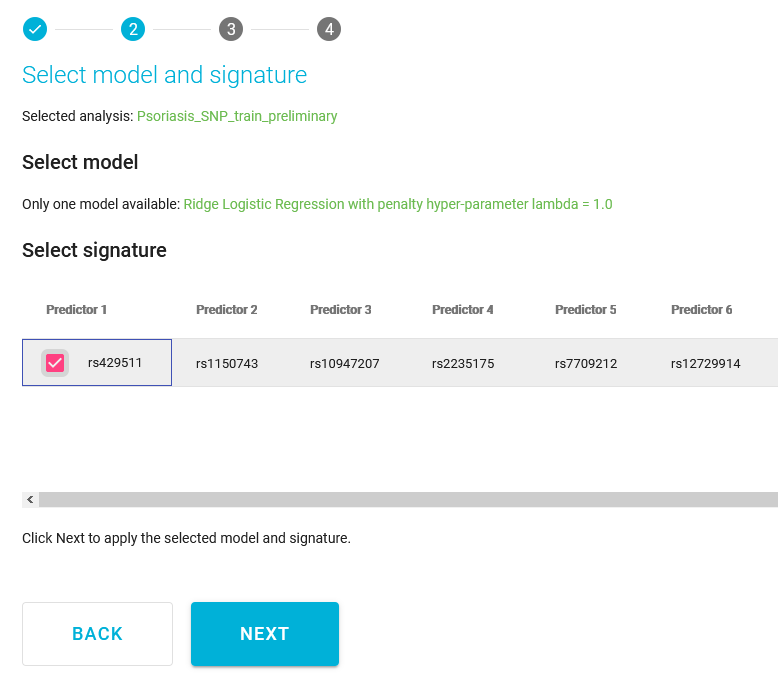
Select model & signature
-
Select model and signature: Check the box next to the model you want to apply and the box next to the signature you want to use (in the following demonstration only one model is available to work with).
-
Click 'NEXT'.
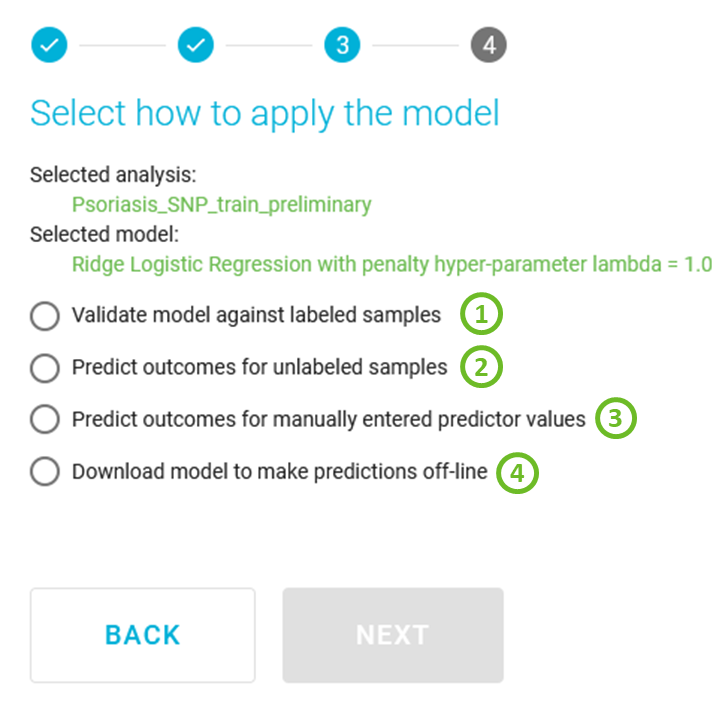
Select how to apply the model
Validate against labeled samples
1) JADBio will give you the option to use another uploaded dataset in JADBio (i.e., a Test dataset that can be created by splitting the original dataset into Training and Test datasets via Transform Data action)
- Select how to apply the model: Select the option, Validate model against labeled samples.
- Click 'NEXT'.
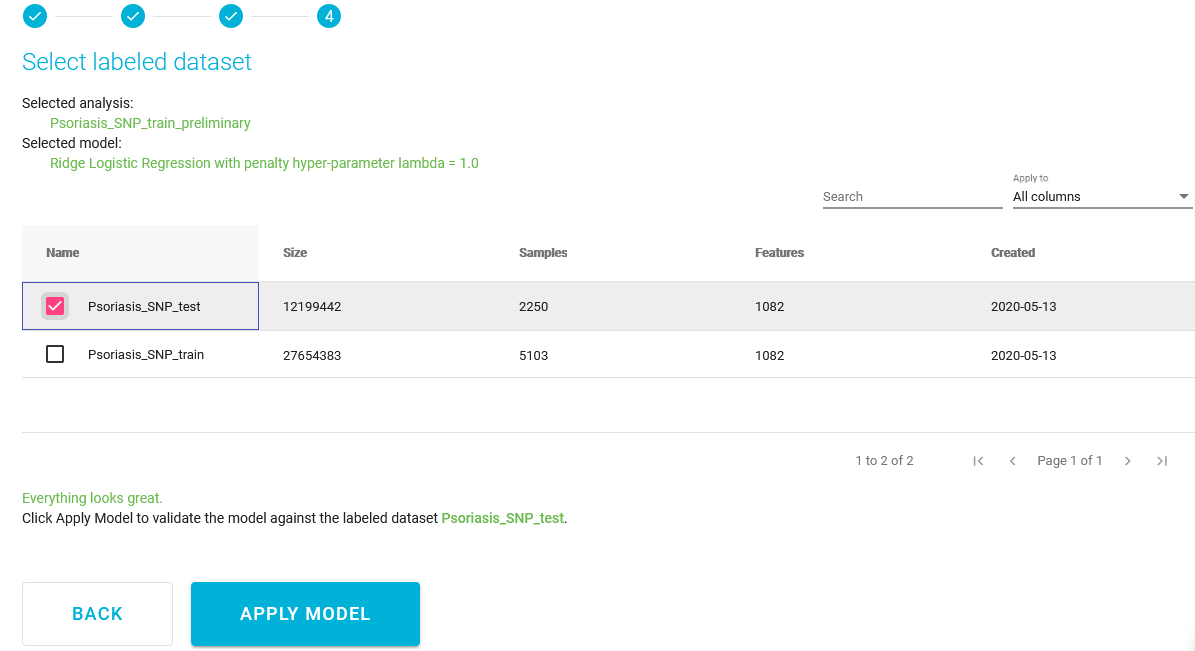
Select labeled dataset
- Select the dataset: Select the dataset of new unseen data to use for the reapplication of your model that exists in the project.
- Click 'APPLY MODEL'.
Predict the outcome for unlabeled samples
2) JADBio will give you the option to use another uploaded dataset. The only requirement you will have for this dataset is that it includes the Predictors in the selected signature with the same names as in the training data.
Manually enter values to predict
3) JADBio will provide a dialog for manually entering values for each of the Predictors in the signature to generate a prediction.
Try model outside JADBio (download model)
4) Download model to make predictions off-line will give you the options to download a standalone version of the chosen model that can be applied on new data on a local machine.
Note of appreciation to JADBio users
We constantly make changes in the software and do our best to update these materials, but you may notice some differences. We welcome your feedback on how to make this more useful for you and requests for future tutorials.