Reviewing Project Data
At the final stage (5) of uploading your data you will be asked to review the feature types of the uploaded data. To this end, JADBio will have already inferred automatically all the feature types in the dataset, but you can change whichever feature type you wish to better suit your understanding of the data at hand. The feature types are:
Example
A feature with 3 classes encoded as 1, 2, 3 will be automatically treated as Numerical, where in fact it could be a Categorical one.
Setting up Rows & Columns
JADBio will now ask you to specify the file layout regarding the feature and sample names. By JADBio's convention, the tabularized data are expected to have samples in rows and features in columns. If your file includes a header row with the feature names, you should click on the corresponding toggle button, while you should proceed similarly if sample names are also present in your file. If your file has rows and columns reversed, you can transpose your uploaded data to match the JADBio convention (samples in rows, features in columns).
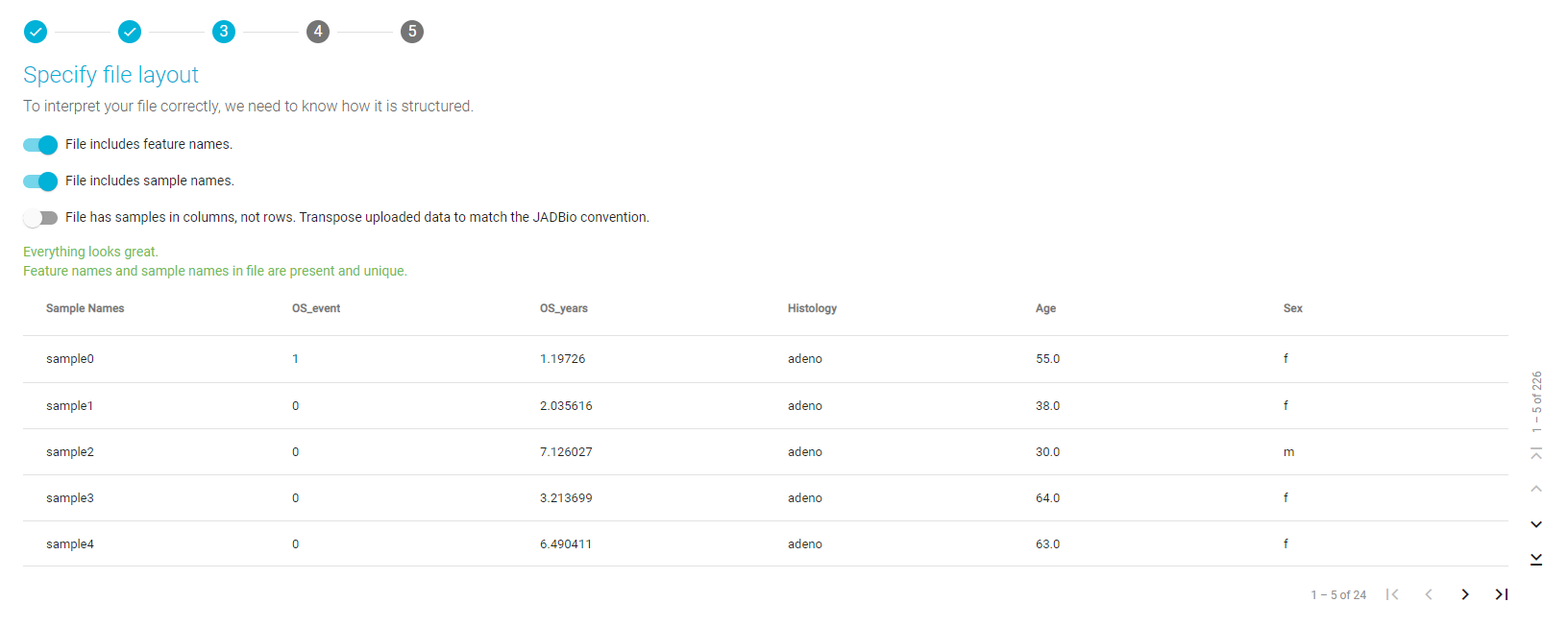
Specify file layout
Now, you are able to inspect every feature (column) of the uploaded dataset, and change, if you dim it neccessary, its feature type. If everything looks OK to you, you can skip this step.
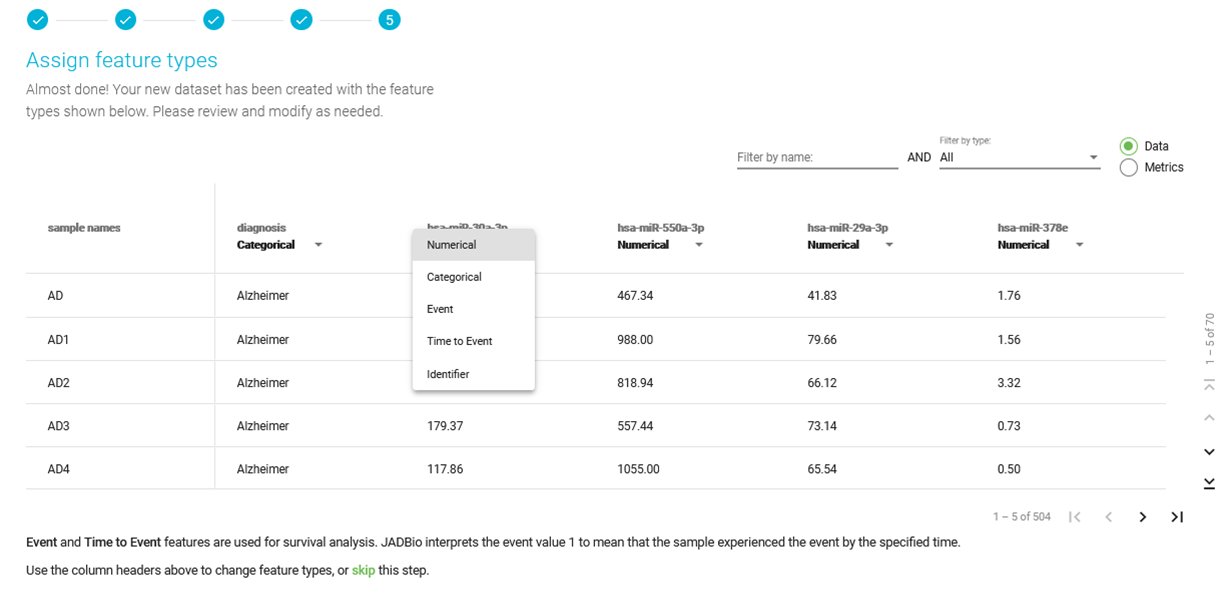
Assigning feature types manually
Warning
Feature types are critical to the process of using the JADBio platform. If you are not familiar with feature types, please reach out to technical support for additional information.
Inspecting feature values
- Once the dataset is uploaded or attached, select the 'Metrics' radio button to view graphical and numerical summaries of each feature in the dataset, i.e. descriptive statistics and histograms).
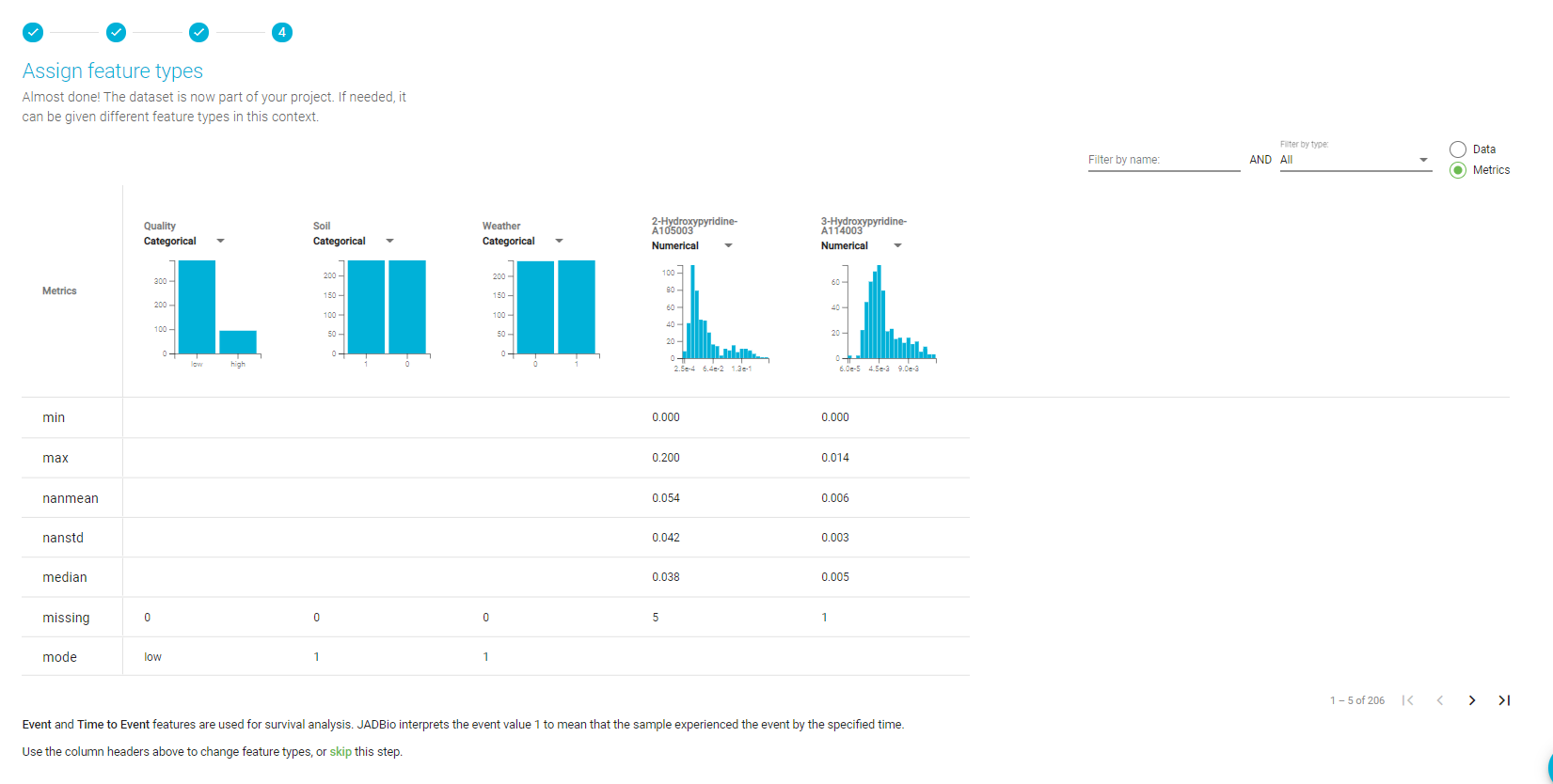
Overview, Metrics view
- Click on a feature’s histogram to expand it and hover over the bars to visualize the counts for this feature.
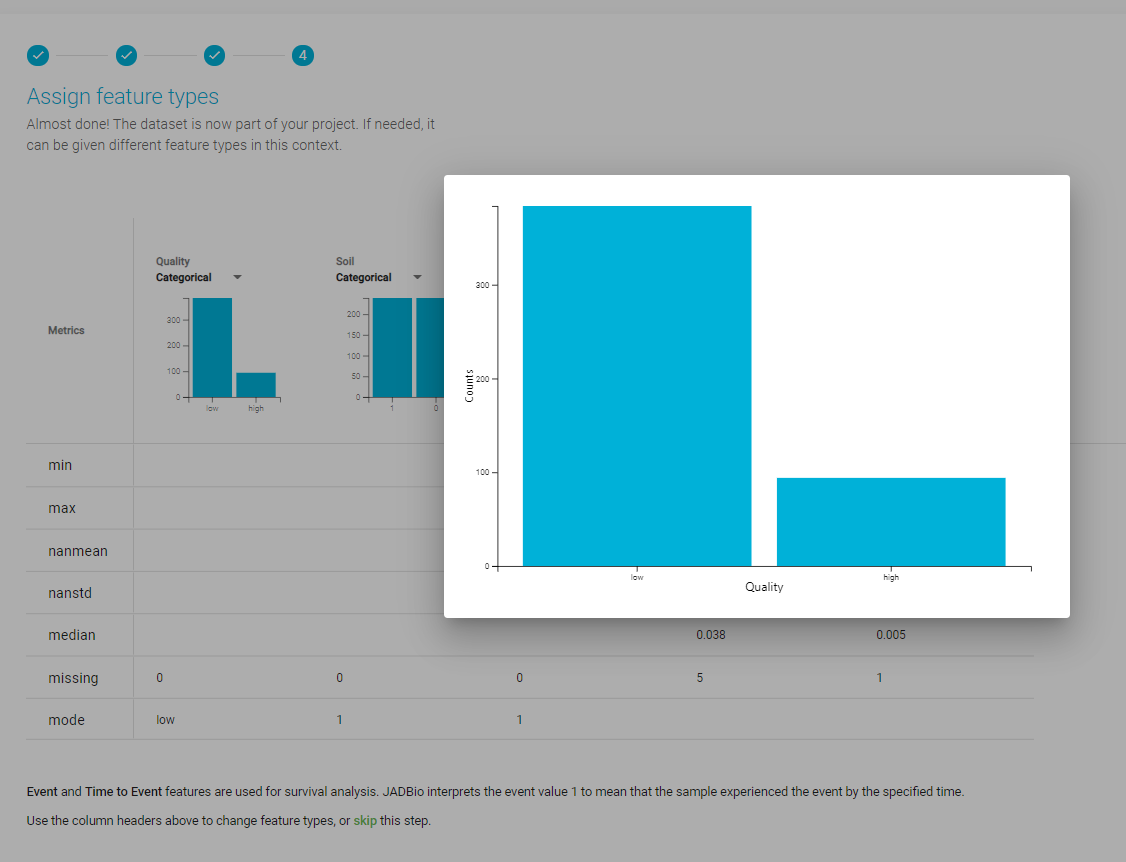
Expanded histogram of a categorical feature
Note of appreciation to JADBio users
We constantly make changes in the software and do our best to update these materials, but you may notice some differences. We welcome your feedback on how to make this more useful for you and requests for future tutorials.