Configure your profile settings
You can access your account by clicking on 'Settings' under MENU sidebar, USER section. Settings offers an overview of account, your subscription plan, its renewal date, as well as enables you to invite members.
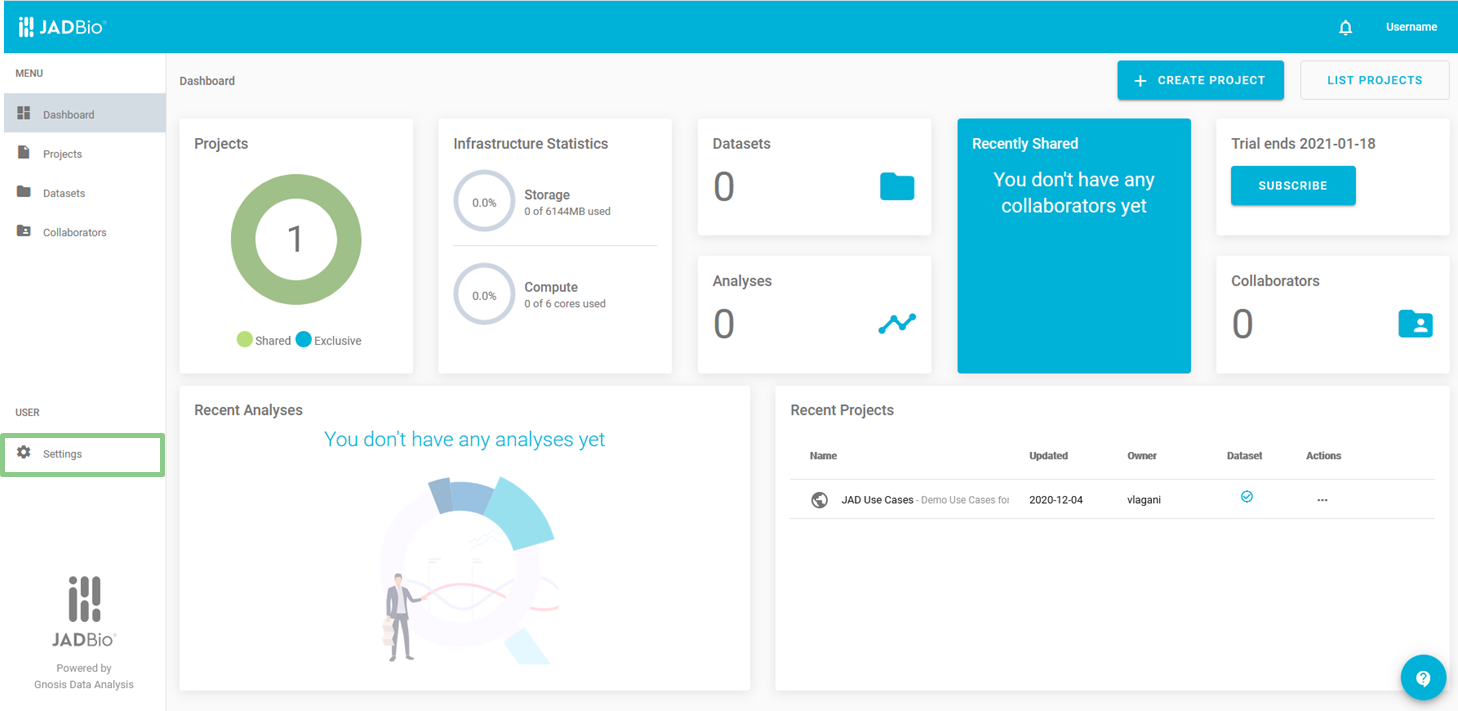
JADBio's main screen
Once in Dashboard > User, there are 3 available tabs: Profile Overview, Organization and Subscriptions.
Profile Overview
In profile Overview:
- you can change your password and
- you can subscribe to a paid plan.
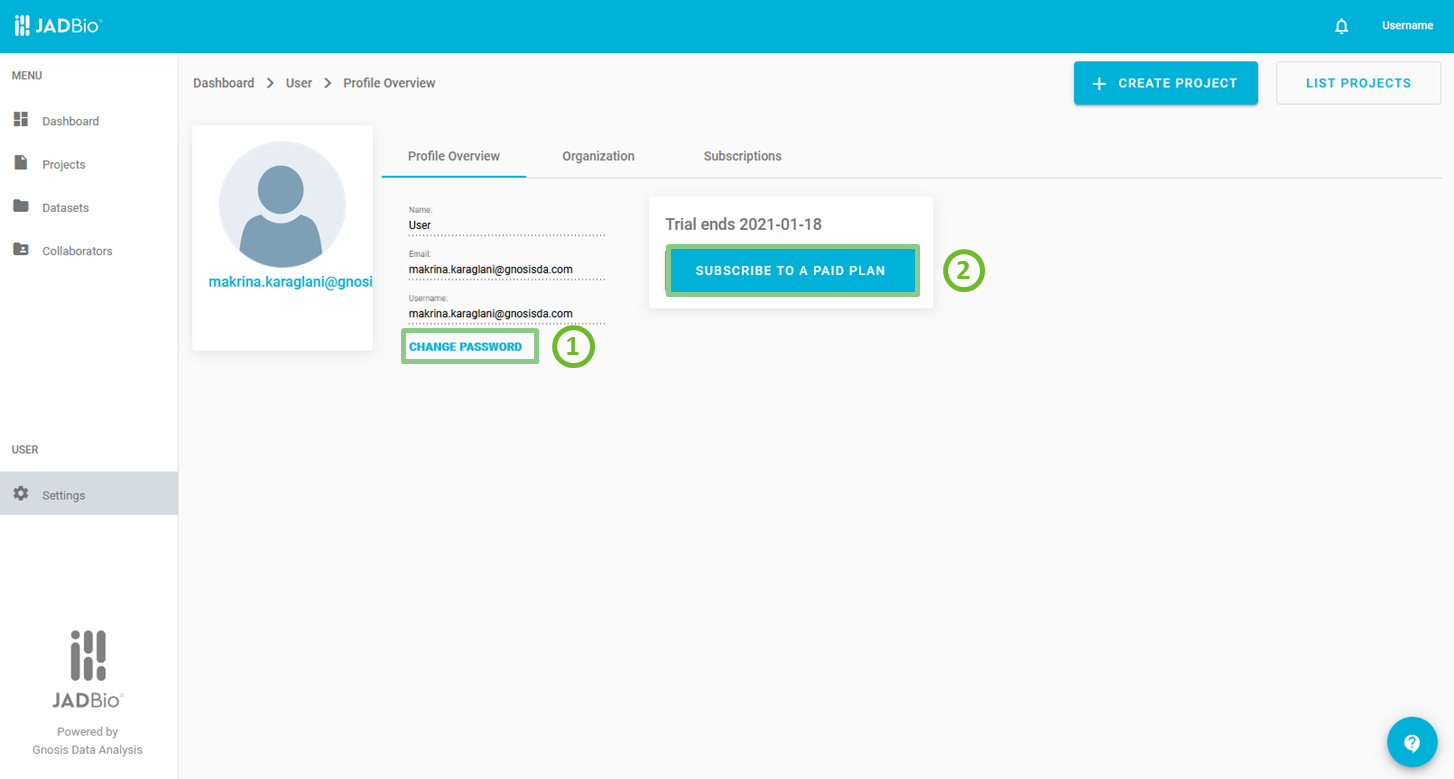
Profile overview
Organization
In Organization:
- you can invite new members of your organization to join if your subscription plan includes multiple subscriptions such as the Group Premium plan and
- you can view the members of your organization and delete them if you wish.
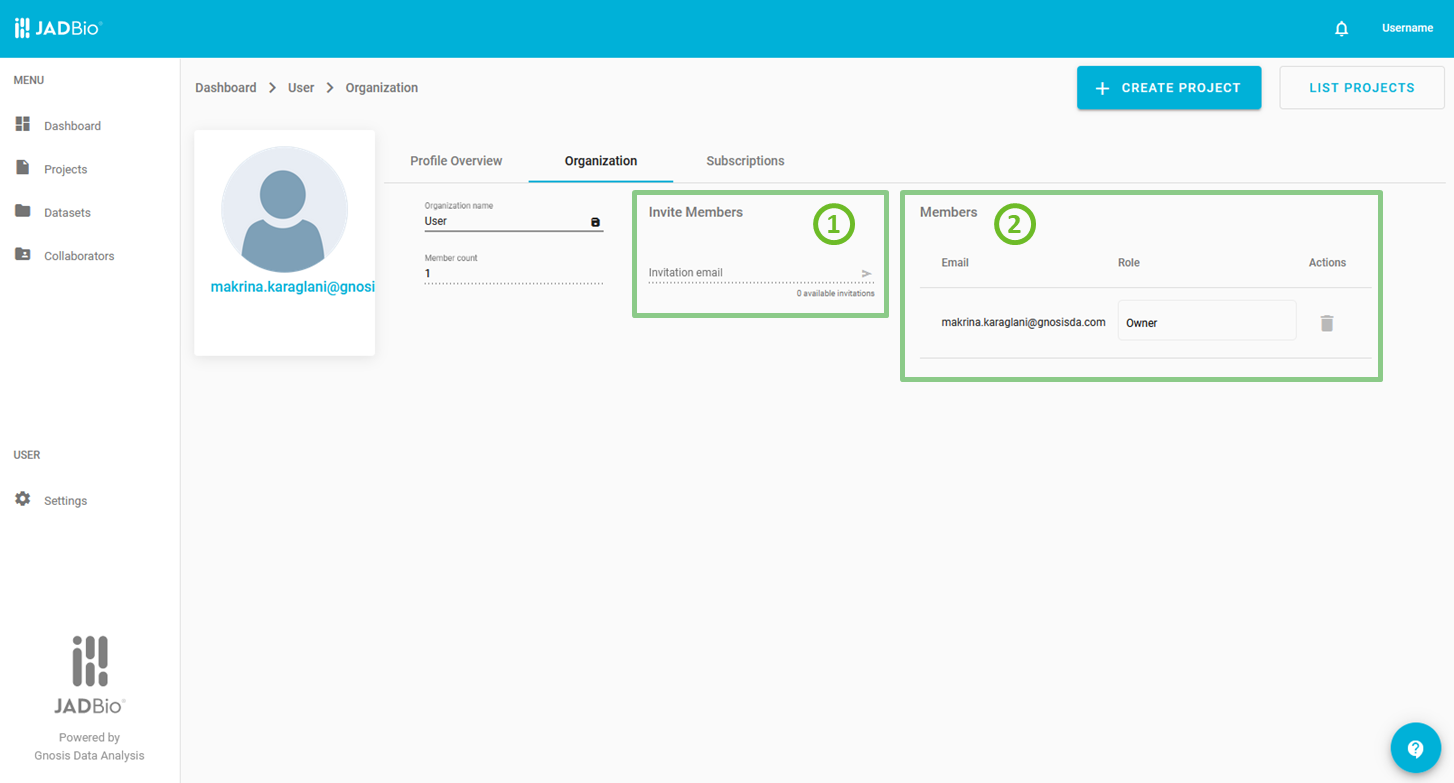
Organization
Subscriptions
Under Subscriptions, all the subscription plans of JADBio is presented.
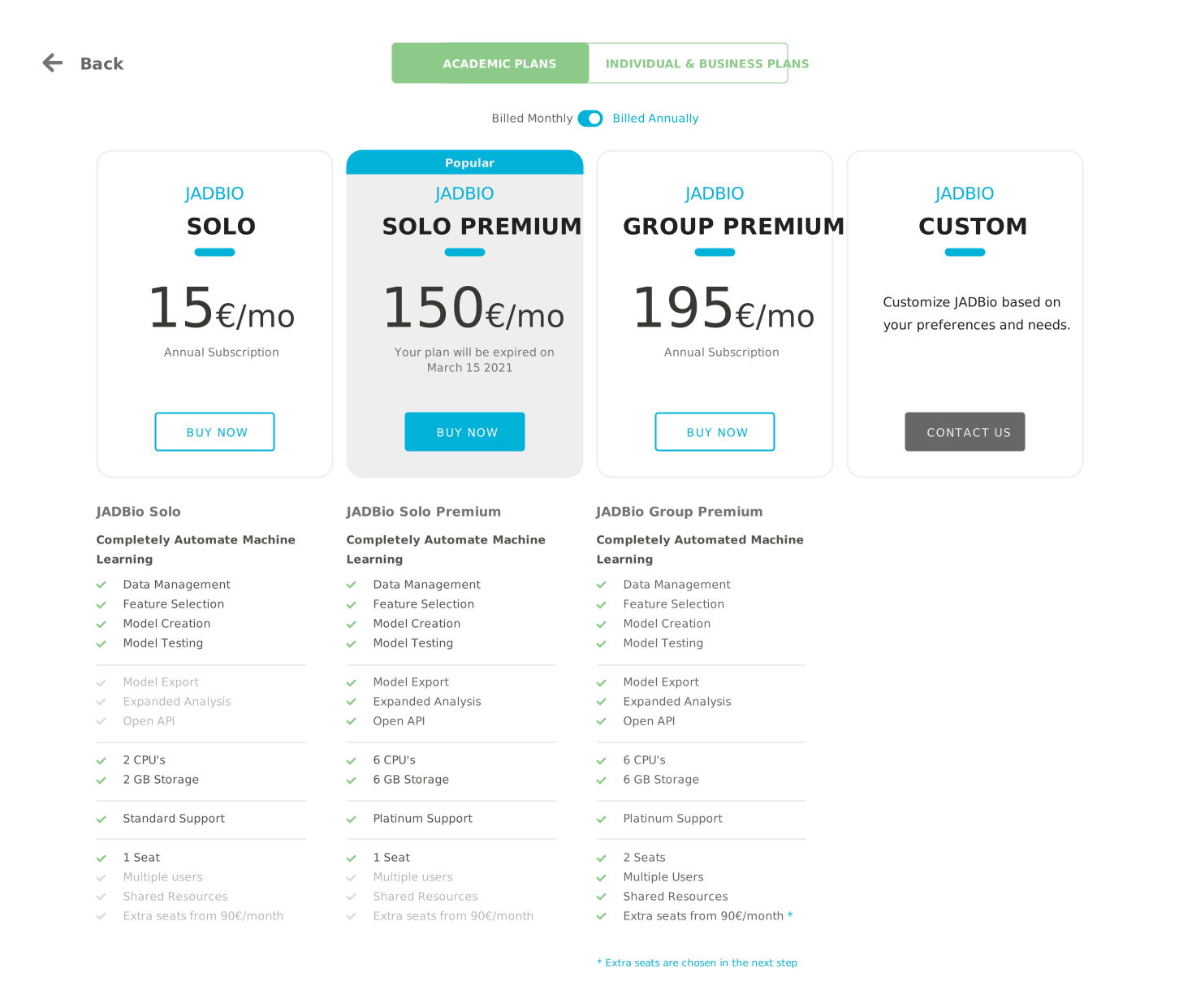
Subscriptions
Note of appreciation to JADBio users
We constantly make changes in the software and do our best to update these materials, but you may notice some differences. We welcome your feedback on how to make this more useful for you and requests for future tutorials.