Inviting a collaborator
There are two ways to navigate to your collaborators:
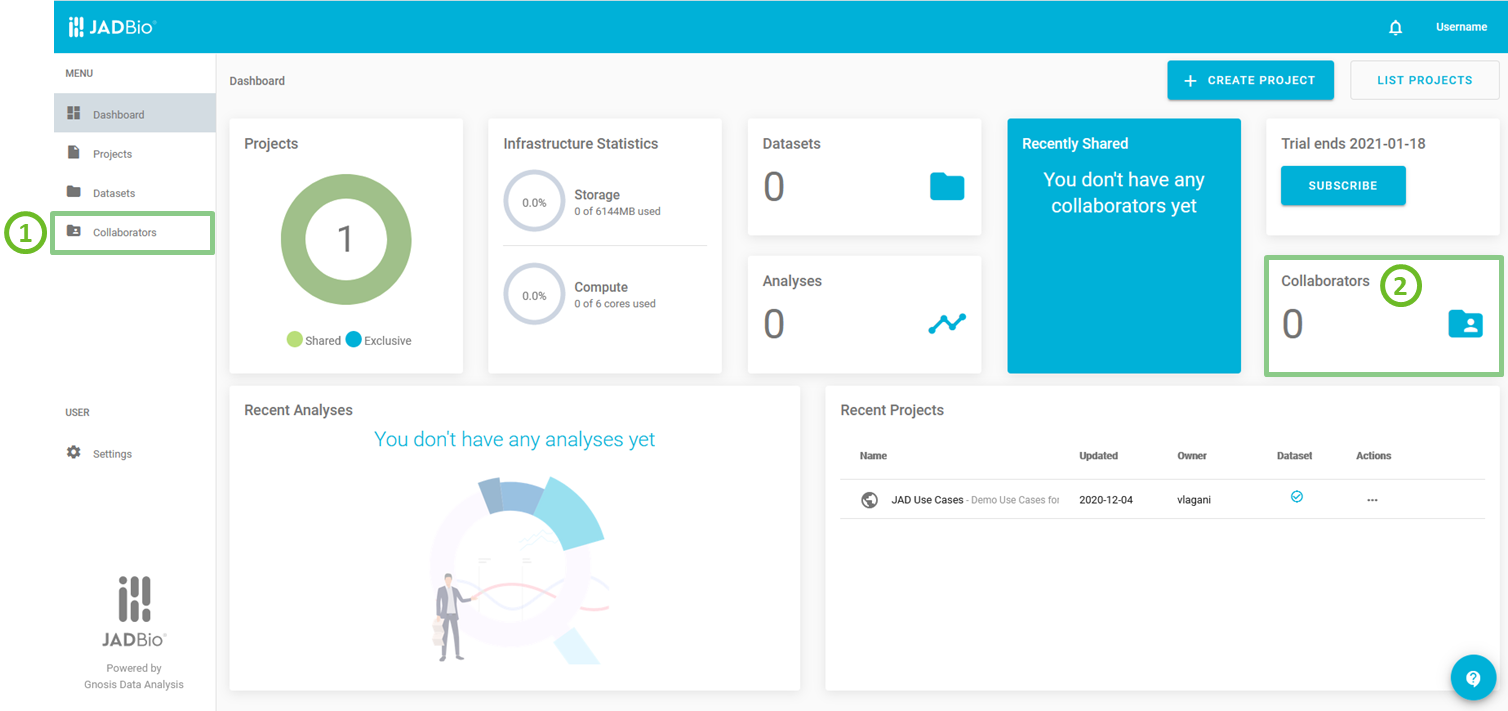
JADBio's main screen
Collaborators provides:
- a list of all of your Collaborators and
- the 'Invite a Collaborator' section.
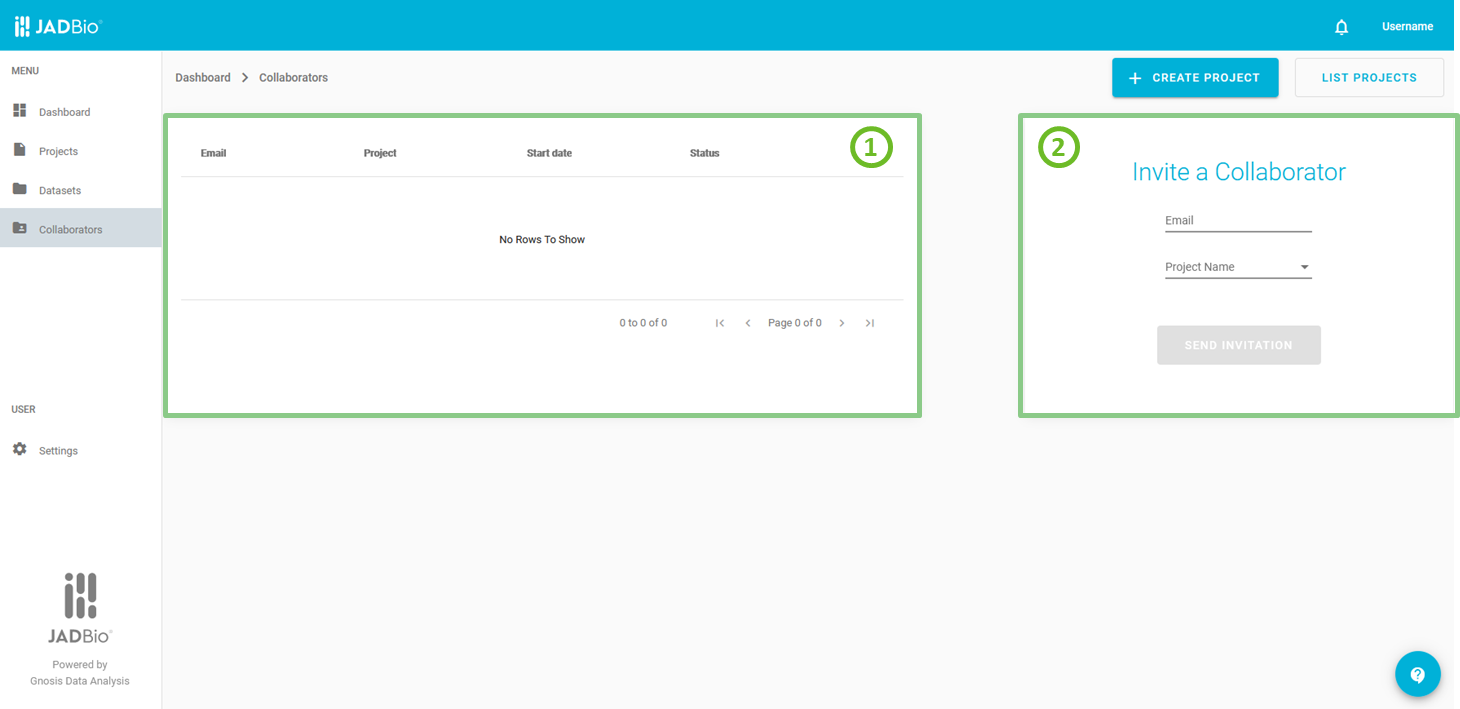
Collaborators
You can invite a Collaborator to a project (must be another JADBio user), by entering his/her email and selecting the project you wish to share with from the pull-down menu. Then, click 'SEND INVITATION'. Your collaborator will get a notification under the icon for your invitation where she/he can accept it or decline it.
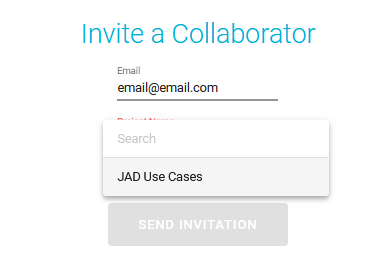
Invite a collaborator
Also, there is a 3rd way of viewing/adding a collaborator, directly from within a project, by clicking on
'Collaborators', under ACTIONS sidebar.
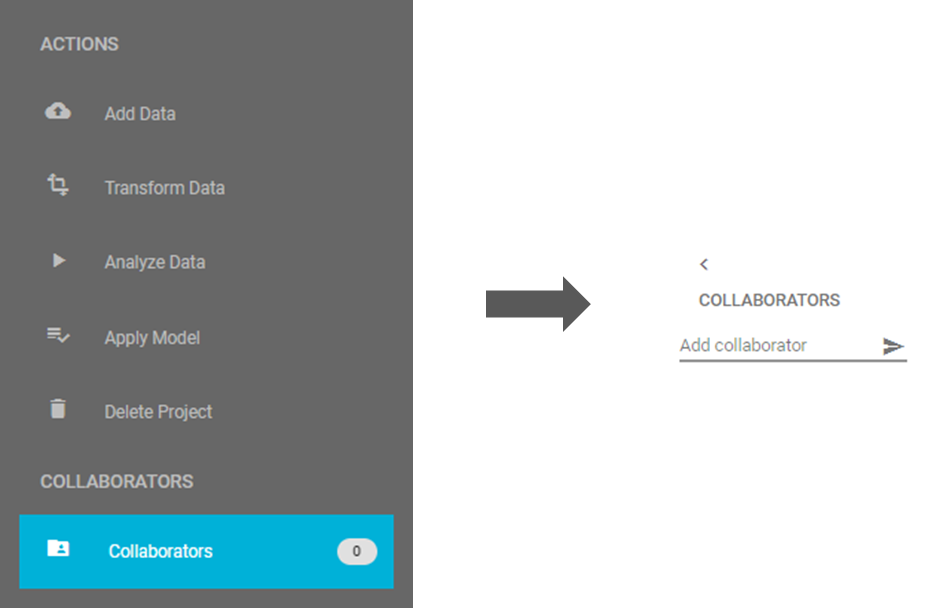
Invite a collaborator from within a project
Note of appreciation to JADBio users
We constantly make changes in the software and do our best to update these materials, but you may notice some differences. We welcome your feedback on how to make this more useful for you and requests for future tutorials.