How to find & review your projects
There are two ways to navigate to your projects:
You can always view your recently created Projects Recent Projects section in Dashboard.
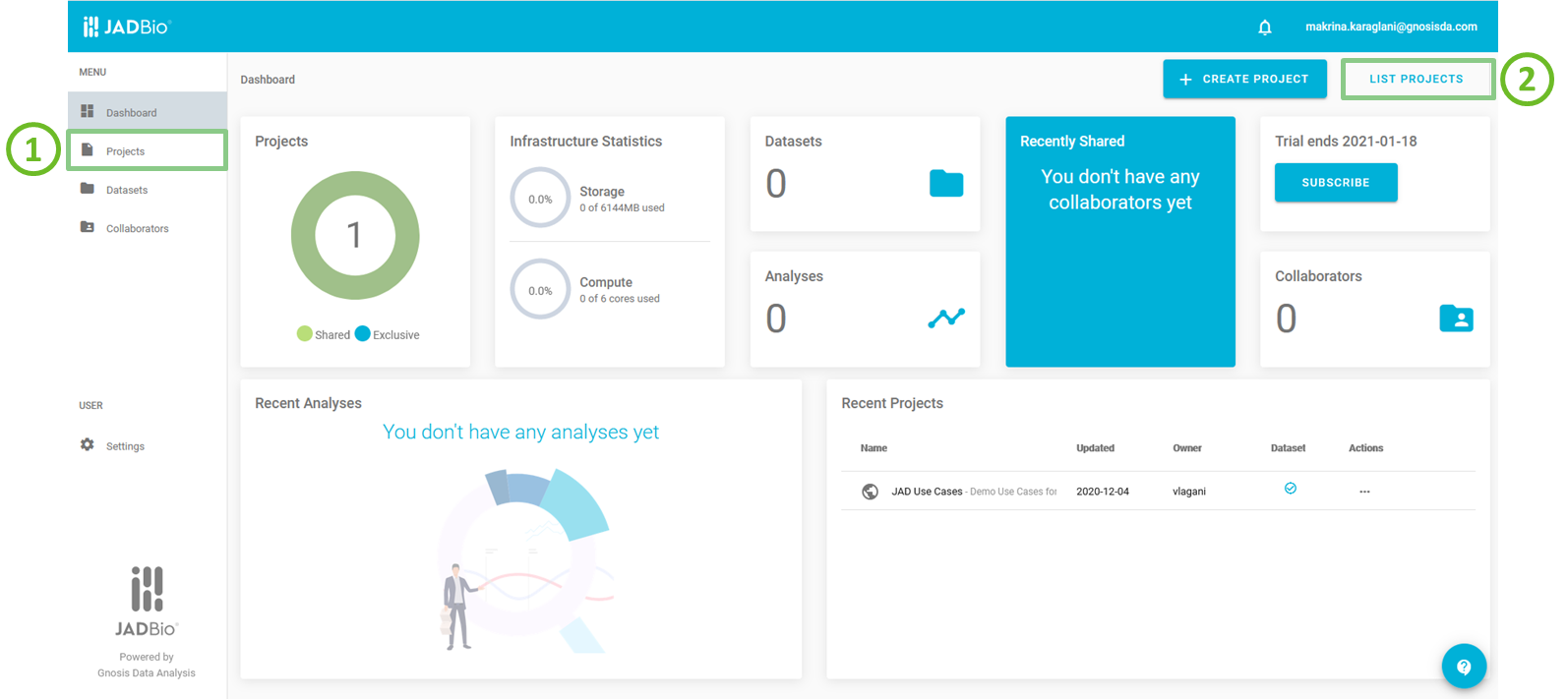
JADBio's main screen
Projects provides:
- a list of all your projects and
- the Create a new project button.
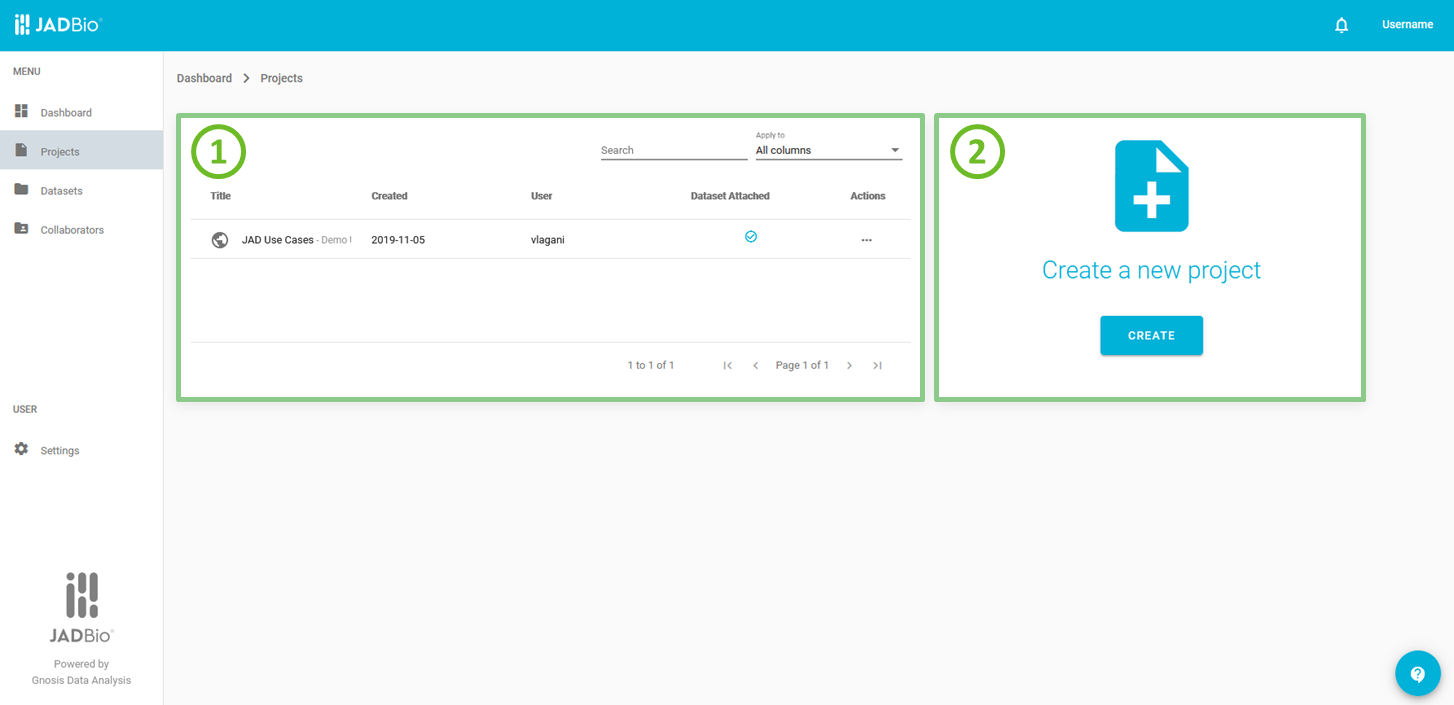
Projects
In PROJECT LIST, each Project is described by the following characteristics: 1. Icon of sharing status. 2. Name of the project. 3. Short description of the project. 4. Date of project creation. 5. User, the initial creator of the project. 6. Flag, indicating the presence of dataset(s) in the project. 7. View project button. 8. Delete project button.
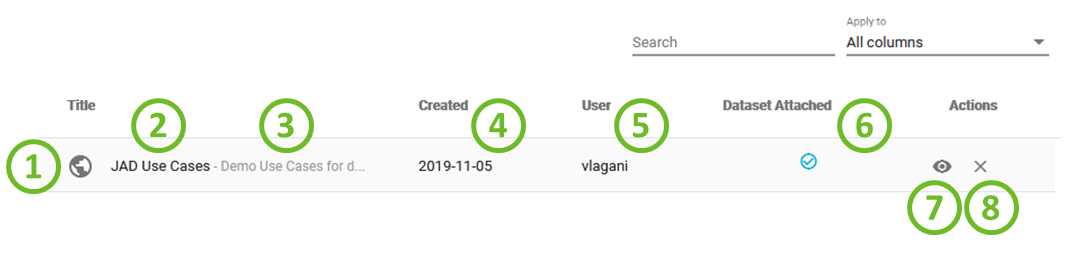
Projects list
In Recent Projects, each Project is described by the following characteristics: 1. Icon of sharing status. 2. Name of the project. 3. Short description of the project. 4. Date of project update. 5. Owner, the initial creator of the project. 6. Flag, indicating the presence of dataset(s) in the project. 7. View project button. 8. Delete project button.
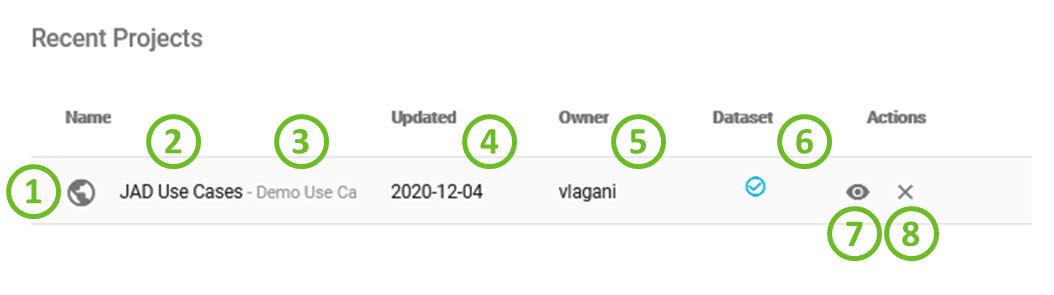
Recent projects list
Note of appreciation to JADBio users
We constantly make changes in the software and do our best to update these materials, but you may notice some differences. We welcome your feedback on how to make this more useful for you and requests for future tutorials.