Reporting bugs & feedback
The 'Support button' enables you to request support for multiple questions such as technical or statistical questions, licensing and billing questions and product-trial questions, to report a bug, as well as to suggest a new feature, or an improvement.
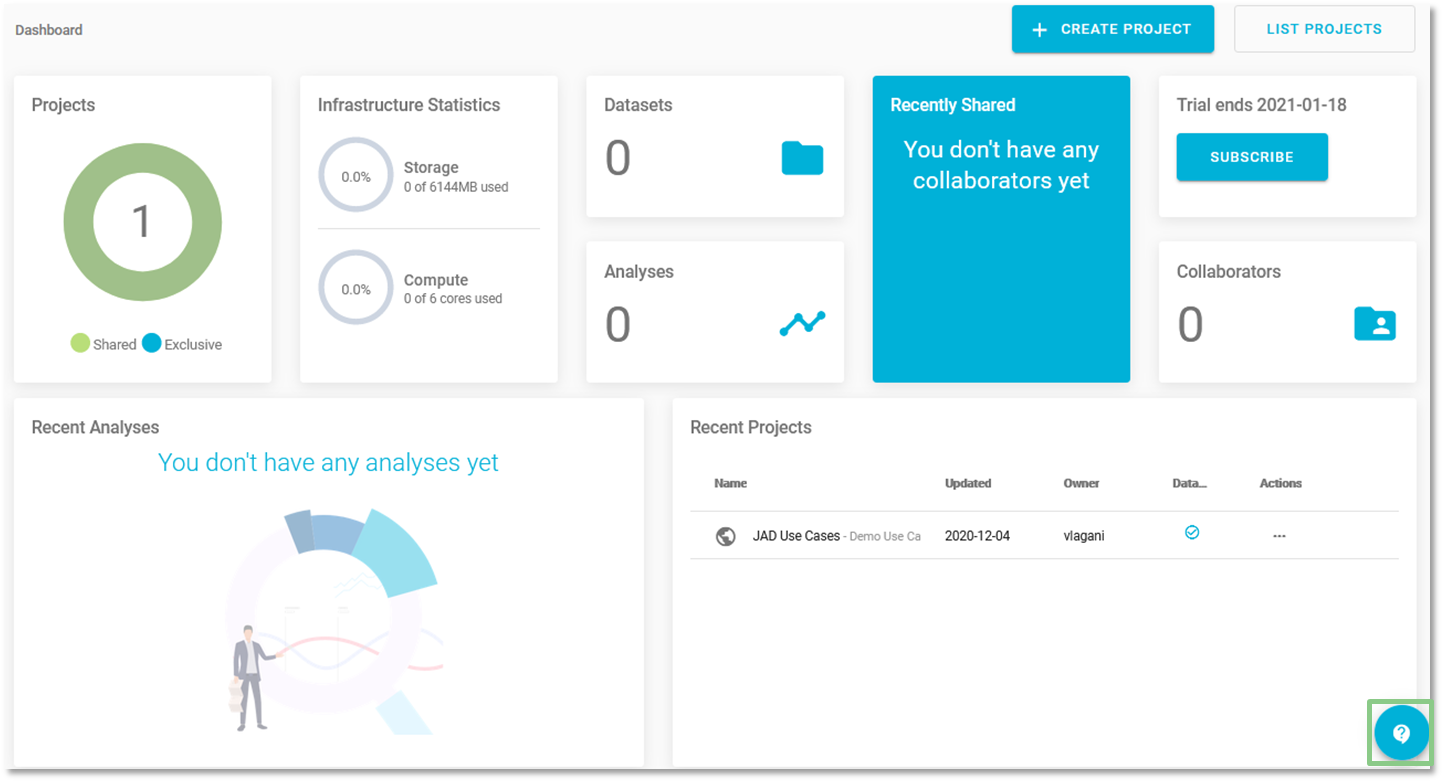
Dashboard - Support
- Click on the and fill in the following parts:
- Summary. Provide a summary of your question or suggestion.
- Request type. Select a request type from the pull-down depending on your request.
- Technical support.
- Statistical support.
- Licensing and billing questions.
- Product-trial questions.
- Other questions.
- Report a bug.
- Suggest a new feature.
- Suggest improvement.
- Message. Describe your question or suggestion as specifically as possible.
- Click Send to send your request to JADBio's team.
- Check your email for a response from JADBio's team.
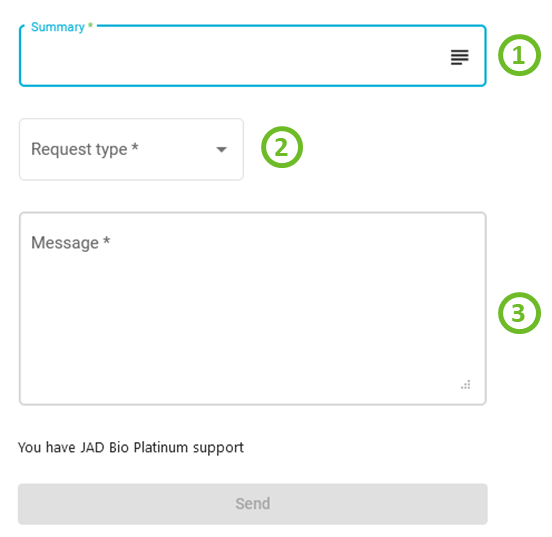
Support form
Shortly, you will receive a confirmation email from our Engineering team that we got your request and we are working on it.
Note of appreciation to JADBio users
We constantly make changes in the software and do our best to update these materials, but you may notice some differences. We welcome your feedback on how to make this more useful for you and requests for future tutorials.